Why Am I So Tired When I Code with Agents?
Why am I so tired when I code with agents?
I often see people complain about this, and my own experience is similar. After an afternoon of working with a coding agent, I frequently feel exhausted, with little to show for it.
In this post, I want to share my thoughts, along with Pot, an open-source AI assistant I built while exploring this problem.
Let me explain why as plainly and directly as possible.
There Are Always Small, Repetitive Preferences to Explain to the AI
For example, I ask the AI to develop in a separate worktree and branch, sync the main branch with upstream before starting, and open a PR after testing.
Codex can remember these requirements and follow the same workflow by default next time. But when I switch conversations, or after context compaction, it sometimes fails to follow those habits automatically. Codex now includes creating a new worktree in its workflow for starting a conversation, which solves that particular problem. Other details still need to be spelled out in each conversation.
A human might need only a few seconds to handle each of these details, but repeating them over and over consumes mental energy and becomes frustrating.
Gradually adding instructions for specific scenarios to AGENTS.md can solve this kind of problem. For projects that aren’t my own, though, editing AGENTS.md isn’t always convenient, and I haven’t found a particularly good alternative yet.
The Requirements Aren’t Aligned
Everyone interprets requirements differently, depending on their taste, knowledge, and what they have been thinking about recently. A familiar joke from a few years ago was the boss and designer talking past each other, with the boss standing behind the designer and directing them to move a button two pixels to the left. Doesn’t that sound a lot like directing an AI today? We still end up having to align with the AI on the details.
My way of handling this is to align on concepts before starting, reducing the need to align on individual details.
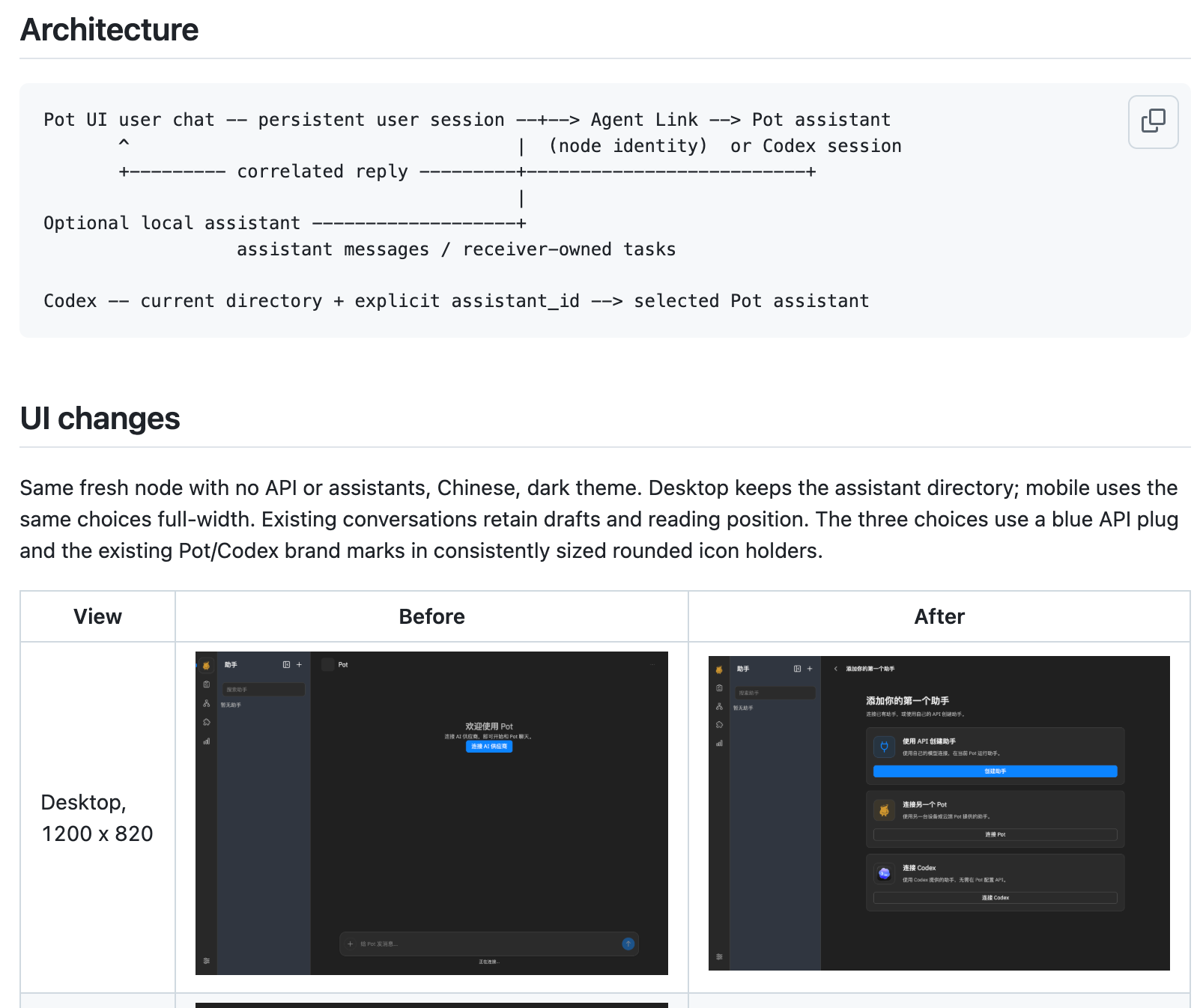
For example, when working on the agent connection system and context, I use Codex as a reference, combine that with my own requirements, and ask the agent to generate an ASCII architecture diagram. We then align using the diagram.
For UI development, this is even easier: I can ask the agent to reference the interface of a specific app. (Please spare me the moral judgment. AI itself was trained on countless pieces of data without copyright permission. If your goal is to build something based on your own ideas, I don’t think you need to feel guilty about it.)
It Can’t Generate the Code I Want
The best way to deal with this is to stop insisting on the details of the code.
For Pot, I first align on an architecture diagram, then let the AI generate the implementation and automatically open a PR with an ASCII diagram of the implementation and UI screenshots. This lets me assess whether the implementation is heading in the right direction and whether the UI is what I want just by reading the PR description. If the architecture diagram looks fine, I merge it, occasionally glancing at the code. If there are issues with the details, I ask the AI to explain and revise them.
These methods work well for personal projects. For company projects that require higher code quality, I don’t have a particularly good solution; people still need to review the code manually.
As for improving code quality, the answer is to wait for a newer model and have it refactor the code.
The Pot AI Assistant
I would summarize the core approach to these problems in two points:
- Keep human involvement at a high level. Intervene as little as possible, give up trying to control every detail, and focus on results. The more details you control, the less efficient you become.
- Let the agent gradually learn to handle things according to the user’s preferences. Every additional thing the agent can handle improves the user’s efficiency a little.
All of these problems can be addressed with any agent or harness, but I wanted to build an AI assistant from my own perspective. These two ideas are at the heart of Pot’s design.
At the moment, I think an assistant-style AI is a good solution. Chat is an asynchronous form of communication, which makes it well suited to staying quiet when the user doesn’t need to intervene. An assistant also naturally has an ongoing conversation, where instructions about the user’s habits can accumulate, and a memory system can more easily extract user preferences from those conversations.
The assistant format also suits automation. One of the classic use cases since the days of the “little lobster” was gathering the latest news on a schedule. Pot was designed with this scenario in mind too. For example:
We can create an assistant dedicated to operating a project, have it inspect production service logs for anomalies every day, automatically open issues, and launch multiple tasks to investigate those issues, fix them, and open PRs. Another development assistant can then review and merge them automatically, and deploy the updates. Pot connects communication between assistants, scheduled tasks, and external GitHub notifications, so assistants can decide what to do based on their instructions.
Notice that we are using several different assistants. Each maintains its own ongoing conversation, so user instructions and habits accumulate in that conversation’s memory. Since each assistant is responsible for just one scenario, its context should, in theory, be more useful for that scenario without accumulating lots of unrelated material.
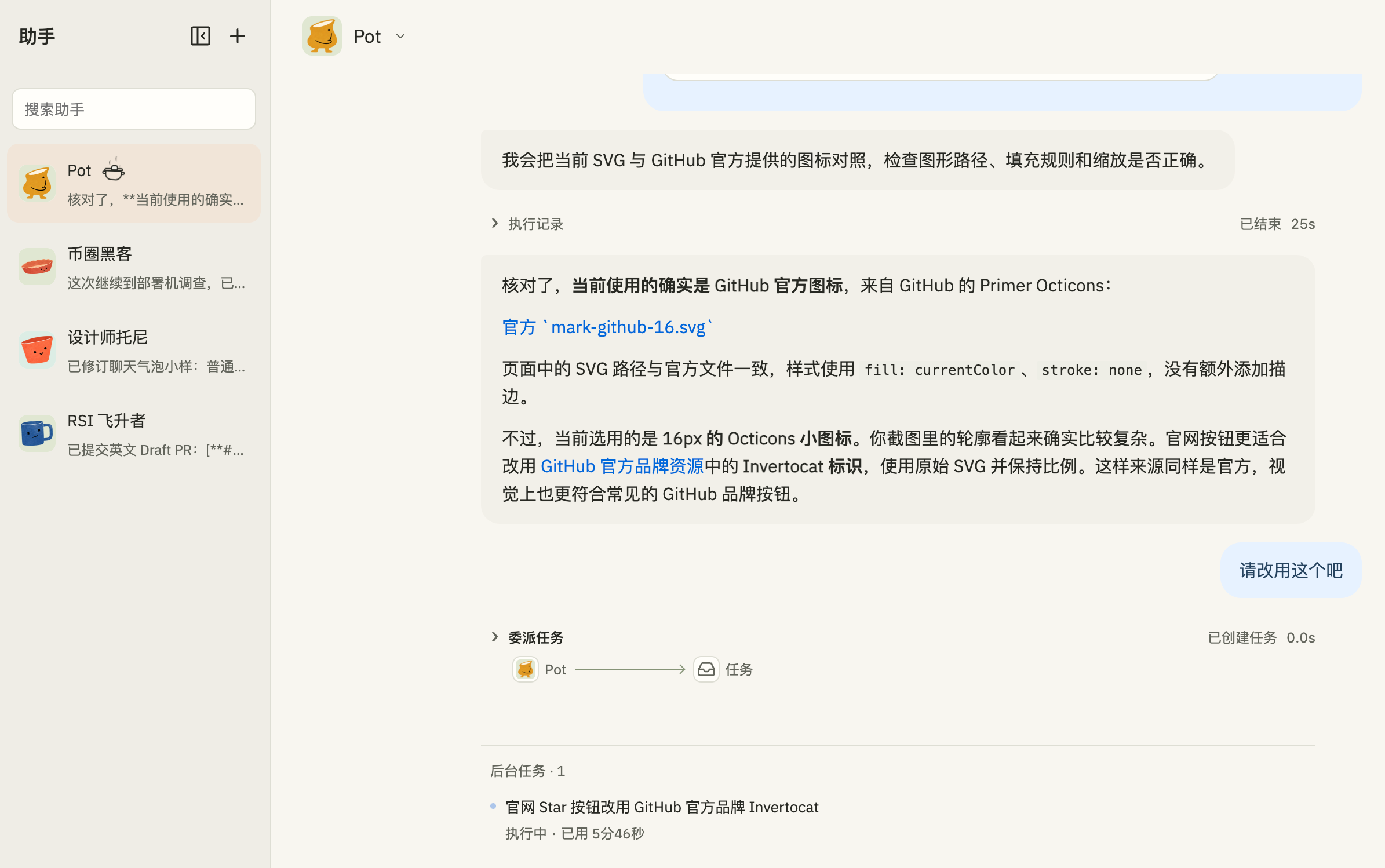
Pot was inspired by ChatGPT Dot. Dot made me realize that today’s models can already support AI assistants that are more useful than those from the “little lobster” days. Perhaps we will find ourselves raising little lobsters again.
To avoid exhausting ourselves, we can train an AI assistant to crack the whip for us.

- Pot website: https://pot.jjylab.com/
- GitHub: https://github.com/jjyr/pot